How to play
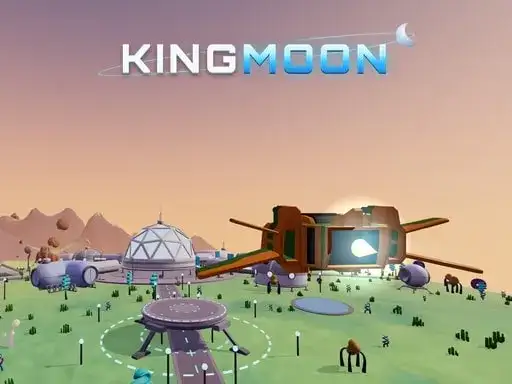
Kingmoon is a 3D space action game set across five alien worlds. The worlds are grass, ice, volcanoes, sand and machines. You fly your ship over each one, land, and fight robots and aliens on foot. Plant your flag to win each sector. Every system ends with a boss. Earn crystals, then upgrade and paint your ship in the hangar before flying to the King’s Moon for the final duel. The game has 25 missions and automatic saving. The developer says you can call your mech when the fight gets heavy, and that mech adds firepower to a ground fight that is starting to turn against you.
Controls explained
On desktop, W accelerates and S brakes. A and D turn your ship. Use the mouse to aim and left click to fire. Shift gives you nitro. Press E to land or take off. Hold F to plant the flag. Press Q to call the mech. Keys 1 to 3 switch weapons, and M opens the map. A gamepad is supported. On mobile, use the left stick to fly and the right stick to aim. Tap the FIRE, ACCELERATE and NITRO buttons as needed.
Tips
- Use nitro to close distance quickly, but save some for escaping boss attacks.
- Land near your target flag spot so you can plant it before enemies swarm you.
- Switch weapons with 1 to 3 to match the fight, picking the right tool for robots or aliens.
- Call your mech with Q when ground fights get heavy, then push through with its extra firepower.
- Check the map with M to find objectives and avoid getting lost on large worlds.
FAQ
How many worlds are in Kingmoon? There are five alien worlds. They are grass, ice, volcanoes, sand and machines. Each system ends with a boss.
Can I upgrade my ship? Yes. You earn crystals and use them in the hangar to upgrade and paint your ship.
Is there a final boss? Yes. After the five systems, you fly to the King’s Moon for the final duel.