How to play
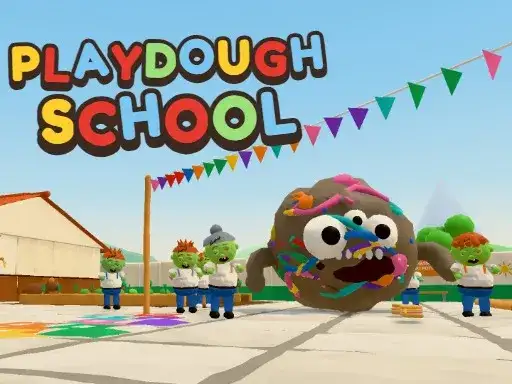
Someone spilled modeling clay into the teachers’ lounge coffee, and every teacher turned into a clay zombie. You grab a slingshot and other school supplies and set out to cure the whole school instead of hurting anyone. The developer says the story mode has quests and a giant boss, and there is a whole neighborhood to explore around the handmade, stop-motion style Brazilian school. A dog follows you as you work through the quests.
Controls explained
On a keyboard, use WASD or the arrow keys to move, the mouse to look, and the left mouse button to shoot. Hold the right mouse button to aim. Switch weapons with the mouse wheel or the number keys 1 to 5, press R to reload, Shift to run, and Space to jump. E is for using things and talking, F triggers your ability, G throws a talc bomb, and Q heals. V brings out the scooter, C switches to the third-person camera, and Esc opens the menu. On a phone in landscape, a left stick moves you, dragging looks around, and tapping shoots.
Tips
- Keep the right mouse button held while you aim so your shots land on the teachers you want to cure.
- Press R before a fight starts, since a loaded weapon saves you from reloading in the middle of one.
- Use the number keys to jump straight to a weapon instead of scrolling through the wheel.
- Save Q for when your health drops, and remember G gives you a talc bomb for crowded moments.
- Press V to ride the scooter when you cross the neighborhood between quests.
FAQ
What do I shoot in this game? You cure the clay-zombie teachers with school-supply weapons such as a slingshot, chalk launcher, hand sanitizer and a giant clay-ball launcher. Nobody gets hurt in the game.
Is there a story to follow? Yes. The developer says story mode includes quests and a giant boss, and you can explore the neighborhood around the school between them.
Can I play it on a phone? Yes. In landscape, a left stick moves your character, dragging turns the camera, and tapping fires your weapon.